Thursday, May 26, 2011

The Design Process-Fancy Word Art

Working on Some Word Art stamps wondering if I should do more with these or leave them as they are?  Was thinking of adding some old handwriting underneath but I am not sure yet.

Any Suggestion let me know.  Been working hard this week on some new stamp sets for the store, added a new freebie to my blog .

The kids are now out of School.  The both did really well and I now have a 5th Grader and a 7th grader in my home. 

If you have any suggestions to what you would like to see in my collage series please post on my blog, Facebook, Digitalscrapbook Place or you can email me at marcee@digitalscrapbookplace.com

Hope you are all having a good week!!

One last thing all my prayers go out to those affected by the tornadoes this week!!

God Bless

Marcee

WordArt

Tuesday, May 24, 2011

Collage Series and a Freebie

I hope you are enjoying the Collage Series of Papers, wordart, stamps, brushes, overlays and masks.

You can purchase these items from the DSP store HERE.

08_B_Collage1 08_B_Collage2

08_B_Collage3 08_E_Collage1

08_E_Collage2 08_E_Collage3

08_E_Collage4 08_E_Collage5

08_E_Collage6 08_E_Collage7

08_O_Collage1 08_S_Collage1

08_S_Collage2 08_S_Collage3

08_S_Collage4 08_S_Collage5

08_S_Collage6 08_T_Collage1

08_T_Collage2 08_WA_Collage1

Enjoy this Freebie a great addition to your Collage Collection

CollageFreebie_MarceeDuggar

Collage Freebie

Wednesday, May 18, 2011

Yeah more Hard Drive Space

Went and bought a new External today 2TB..now I have a 500 Gig, 1 TB and 2 TB..I had one external a few years ago and it died and I lost everything on it..so now I have 2 extras for backing up my backup.!!

I had lost all my pictures for 2 years so sad not again I say!!

Isn’t it pretty!!…I don’t want diamonds give me hardware..oh yeah


Monday, May 16, 2011

Tutorial: Clipping Masks Using Different Elements in Photoshop

Wanted to show you different ways to use some of my designs.  I will be using my Vintage Note Element Set 2 and Collage Elements Set 3 .

Clipping masks are a great way to get that brushed on appearance on your layouts.  You can use photos or you can use papers with your clipping Masks

First you want to learn how to use Clipping Masks.

~ open New document 12x12 300 ppi

~ Open Your Mask for this I will be using Vintage Notes

~ Place your mask in your New Document

~ Open any picture and place it in layer Above Your Mask

~ Take your mouse and place it between the Picture layer and Mask Layer Hold the ALT till you see the round symbol then CLICK your photo is now Clipped

Tut_Clipping_Icon Tut_Clipping2_Icon

~ with your photo clipped you can move it around and resize if needed.

~ It looks pretty cool like this but we can take it a step further with the blending modes

~ right click your picture layer

~ Blending options

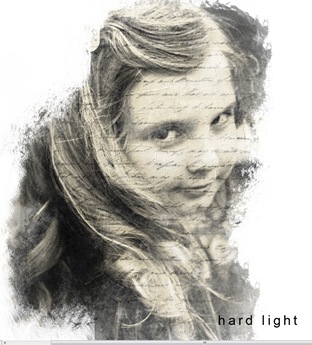
~ when the Box appears you will see Normal click on the dropdown arrow and just go thru the different blend modes till you see on that you like I have chosen Multiply here.

Blending

~Here are some examples of what you can do with Clipping and Blending
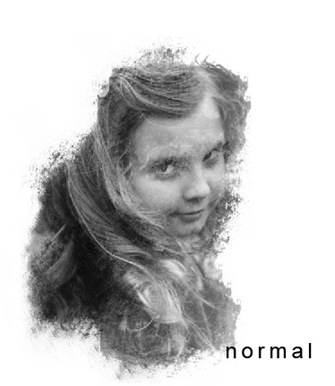
normal  HardLight

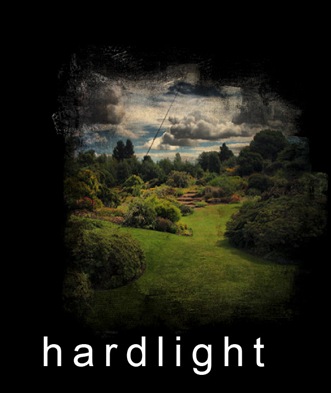
~ for these 2 images below I used my Collage Elements Set 3
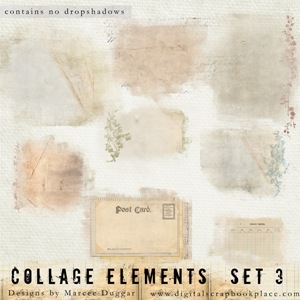
08_E_Collage3


Normal_Landscape hardlaight_Landscape


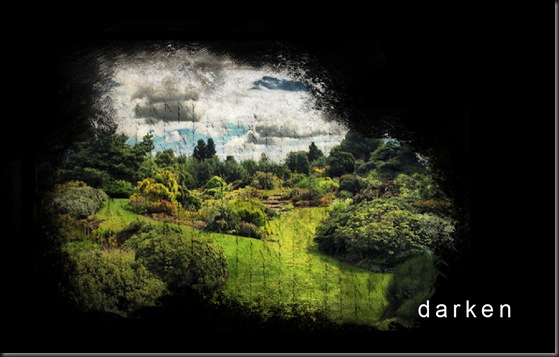
~Vintage Notes Set 2 for these below
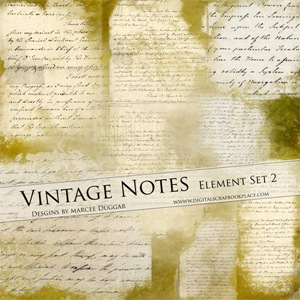
08_E_VintageNotes2

colorburn darken


~When you get the look you want just merge the 2 layers together and your done!!

-------

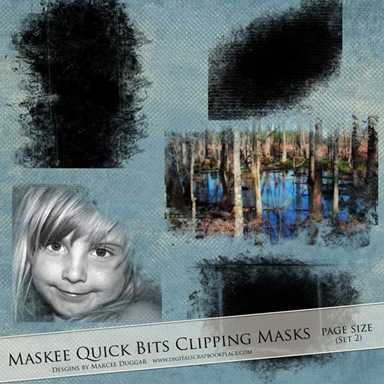
I also have lots of regular Clipping masks in the Store your can clip your photo onto and then merge…

then you can use blend if you like.  These sets all come in black they can be rotated and resized!!
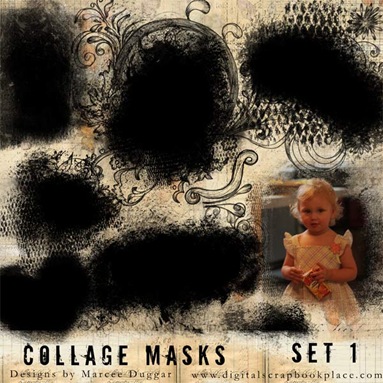
08_T_Collage1 08_T_Maskee_S2

08_T_PhotoMaskee3 08_T_PhotoMaskee2


Hope You enjoyed this Tutorial on clipping masks..any questions please feel free to ask!!

Sunday, May 15, 2011

Photoshop Grungy Brushes Freebie

I have created a set of 18 High Resolution Photoshop Grunge Brushes for you for free.  I have included the .png files for those with other programs. These are great for your art journals, mixed media pages and any of your scrapbook layouts.

Terms of Use are included in the zip file.

Hope you enjoy the Grunge!!


08_S_Freebie_MarceeDuggar

GrungyBrushes_Freebie_ContactSheet

Grungy Brushes Freebie


Thursday, May 12, 2011

I Love You..Destanee

My sweet baby girl Destanee

LoveYouLayoutWEB

Using the Blending Modes in Photoshop I created this layout.  Products used are Collage Papers Set 2 and Collage Alpha Set 1

Create Art..

Been Playing around with some images, textures and type tonight created a couple things just for fun.  I love creating scrapbook products but sometimes I just want to play with my brushes and texture on other things.  I love photo manipulation and adding textures and blend modes you can create so many things just lets your creative gene flow..

Here are a couple things I made today..it was fun


This one is kinda freaky but cool..

HAUNTED GIRL

haunted copy


Always wondered what a Picture looked like from behind..now I know..lol


LookingBack

Friday, May 6, 2011

The Design Process: Making Collage Papers

I really think I could make these all day long.  The collage papers are so much fun blending papers and images and brushes just sets my artistic gene in over drive!!  Something about vintage images and documents that just excites me artistically that no other medium can.  I troll the little thrift and antique stores often looking for some little treasures.  Recently found a dictionary from 1917 all tattered and torn just perfect.  I also adore old pictures, I like to look at them and wonder who they are and what happened to them, the pictures of the children are my favorite I wonder are any of them still around with great grandchildren of their own? 

I am really excited about this newest set of papers my favorite so far.  Thanks for visiting my blog and listen to me ramble on about my passion!!

DesignProcess

Tuesday, May 3, 2011

The Design Process: Man it’s late

Or early depends how you look at it.  Last I looked it was 1 a.m. now its 5 a.m.  I so get into my designing and this collage series has really sparked my interest.  I have finished with the papers and should be in the store tomorrow..wait today..Time has been lost on me.  These are some Collage Elements I am presently working on.  I love anything old,  worn or grungy that is why heritage designs has always been my favorite. 

Goodness I have to get up in 2 hours to get my daughter ready for school, I am ready for summer vacation so I can sleep in!!

Have a Great Night..or Day

Marcee

Elements

Sunday, May 1, 2011

The Design Process: Sneak Peek

Thought I would share a screen shot of a work in progress this should be my next designs in the store soon..or I end up hating it and it goes into my for later file.

Trying to make some collage type word arts, it’s a process and I am finding I really enjoy it.

Thanks for looking.

NewWordArt